

IMAGING CORE
The Miami Project to Cure Paralysis
Lois Pope LIFE Center Building Room 4-08 and 4-10
Please email questions to: Brandon M. Aho, Ph.D.
Schedule Equipment and Training
Visit the scheduling site after setting up an iLab account. Make sure your account is assigned to any relevant lab groups and that your account has access to any funding numbers applicable to your reservations in advance.
Cite The Imaging Core
If you use the Imaging Core facilities for your research, we request that you cite the core in the relevant publications. The proper citation format may be accessed from the provided link and should be included in the Acknowledgements section of your publication.
|
|
|
CORE DIRECTOR
Jae Lee,K. Ph.D.
jlee22@med.miami.edu
305-243-2599
CORE MANAGER
Brandon M. Aho, Ph.D.
baho@med.miami.edu
305-243-8042
The Imaging Core at The Miami Project to Cure Paralysis provides you with an array of imaging tools, allowing you to visualize your experiment on the size and resolution necessary for the problem you are trying to solve. We offer fluorescence microscopes with software that allows you to easily automate your workflows. We also have several microscopes equipped with Stereo Investigator software and Neurolucida software, allowing you to quickly estimate or measure a variety of cell and tissue parameters.
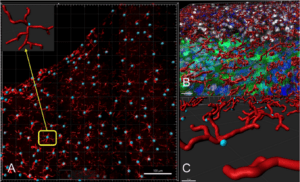
Our core is also equipped with more specialized systems such as the Andor Dragonfly 200 Confocal, allowing you to image deeper into samples with improved resolution. Large 3D datasets may also be acquired using our 3i LightSheet microscope, where you may capture entire structures such as the entire central nervous system of a mouse. This facility is equipped with Imaris software to facilitate your analysis of the datasets you collect either on our microscopes or others.
Miami Project researchers also have access to the MerScope system. This system supports spatial genomics research, allowing imaging of up to 1,000 different genes in a single experiment at single cell resolution. Our core is looking to implement new systems soon, so make sure to stay up to date on the tools available to support your next big finding!
SERVICES AND EXPERTISE
Training
COSTS
$75 per hour for all users in addition to reservation costs for the respective resources.
Training on each piece of equipment must be completed before reservations are made available for the respective piece of equipment. More advanced systems require longer training sessions before use.
Olympus IX85
Free
Standard fluorescence microscope equipped with CellSens software for automating imaging processes.
Training for this microscope is requested through iLab, but reservations are handled on a separate calendar to which access will be provided after training is completed.
Stereology Workstations
$15.00 per hour for all users.
Three separate stereology workstations are equipped with a fluorescent microscope as well as Stereo Investigator and Neurolucida software packages for sample quantification.
$57.00 per hour for all users.
Spinning disk confocal system equipped with dual cameras. This system also has SRRF Stream+ software to provide super-resolution images.
3i LightSheet
$45.00 per hour for all users.
LightSheet microscope with imaging chambers. Bring your own clearing solutions and ensure that the station and equipment are thoroughly cleaned after use.
Imaris Workstation
$20.00 per hour for all users.
Image analysis workstation equipped with Imaris software.
MerScope
Free for The Miami Project to Cure Paralysis users.
Spatial genomics platform which can visualize Fresh-Frozen and FFPE tissue samples.
*All services after training are for independent use of equipment. Core personnel may be available for questions, but for in-depth help, please schedule training on the respective equipment.
FREQUENTLY ASKED QUESTIONS
What do I need to schedule a training session?
You need an iLab account which has been assigned to a lab group, and you need to have been given access to the funding number you would like to use through iLab. The owner of the lab group can give you access to these funds.
Do I need to bring a sample for training?
Yes, bring a fluorescently labeled sample you would like to view on the microscope you are being trained on.
Why do I need a #1.5 coverslip?
These coverslips provide the optimal thickness for standard objectives to avoid distortion and loss of resolution in images.
What if I encounter a problem when using the equipment?
Contact the core manager who will work with you to find a solution to the problem.
Who may use the facility resources?
Any interested customers are welcome to use the imaging core, with priority given to users from the University.
How do I pay for use of the resources?
Billing is done through iLab, accessible via the link at the top of this page.